Lolminer is the Best Way to Start Mining Gram on HiveOS and Windows with Optimal Settings
· based on the channel FINCOR
Lolminer is a powerful cryptocurrency miner designed primarily for AMD GPUs, supporting multiple Equihash algorithm variants including the cuckAToo31 algorithm used for mining Gram (GRAM coin). It runs smoothly on both Windows and Linux environments such as HiveOS, making it an accessible and efficient choice for miners targeting Gram.
Mining Gram with Lolminer requires connecting to a dedicated pool like https://ton.ninja/, which offers a stable environment for mining with a 1% developer fee. The miner supports custom worker naming and wallet address integration to track your mining performance.
Getting Started with Lolminer for Gram Mining
Lolminer is straightforward to set up for both beginner and advanced miners. The first step is to download the latest fully optimized release version 1.0.1 from the official repository to ensure stability and efficiency. Extract the files and configure the miner with your wallet address and worker name following the format `%WAL%.%WORKER_NAME%`.
Key mining parameters for Gram include:
- Pool URL: `lolminer.ton.ninja:9999`
- Mining mode: `--ton-mode 6`
- Core clock (cclk): `1550`
- Memory clock (mclk): `810`
- Core offset (coff): `300`
- Fan speed: `60%`
These settings balance performance and hardware longevity, especially for 4GB AMD GPUs which are popular among budget miners.
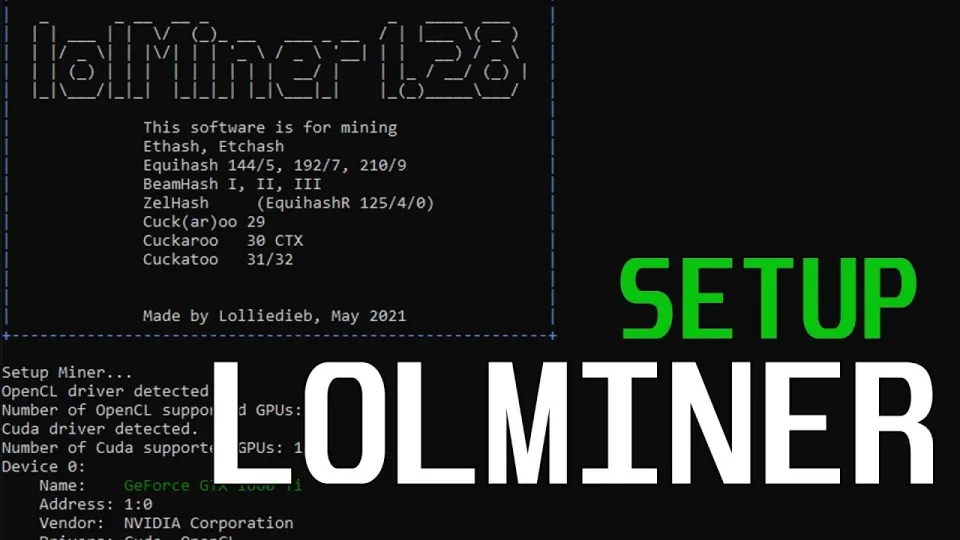
Video: Lolminer | Start Mining Gram with Lolminer 2025 | Gram Mining | How to Mine GRAM HiveOS/Windows
Setting Up Lolminer on HiveOS
HiveOS users benefit from a streamlined interface to manage mining rigs. To configure Lolminer for Gram mining:
- Add a new flight sheet selecting Lolminer as the miner.
- Input your wallet address and worker name.
- Set the pool to `lolminer.ton.ninja:9999`.
- Add the extra arguments `--ton-mode 6 --cclk 1550 --mclk 810 --coff 300 --fan 60` in the miner configuration.
Once saved, deploy the flight sheet to your mining rig. HiveOS will handle the rest, monitoring your rig’s performance and allowing easy remote management.
Setting Up Lolminer on Windows
Windows users need to edit the batch files or command line scripts to start mining:
- Download and extract Lolminer.
- Create a new `.bat` file or modify the existing launch script.
- Use the command line:
```
lolMiner.exe --pool lolminer.ton.ninja:9999 --user %WAL%.%WORKER_NAME% --ton-mode 6 --cclk 1550 --mclk 810 --coff 300 --fan 60
```
- Replace `%WAL%` with your Gram wallet address and `%WORKER_NAME%` with your chosen worker ID.
- Run the batch file to start mining.
This method gives flexibility and immediate feedback via the command prompt.
Optimizing Performance and Troubleshooting
To ensure stable mining:
- Monitor GPU temperatures and fan speeds to avoid overheating.
- Adjust `coff` (core offset) carefully to balance hash rate and power consumption.
- Use the latest Lolminer version 1.0.1 to avoid bugs and maximize efficiency.
- Confirm your wallet and pool settings are correct to prevent lost rewards.
Common issues include connection errors to the pool, which can often be resolved by verifying firewall settings and internet stability.
Common Questions and Answers about Lolminer and Gram Mining
Mining new cryptocurrencies like Gram can raise many questions. Below are common concerns clarified based on user feedback:
What GPUs are best for Lolminer when mining Gram?
Lolminer is optimized for AMD GPUs, including entry-level 4GB models. It supports various Equihash variants, making AMD cards efficient for Gram mining.
How do I ensure my mining node runs reliably on HiveOS and Windows?
Following the recommended settings and using the latest Lolminer version helps maintain stability. Regular monitoring of hardware and software updates is advised.
Is there a fee for mining Gram with Lolminer?
Yes, Lolminer charges a 1% developer fee, which is standard among many mining software.
Where can I find the official pool for Gram mining?
The official and recommended pool is at https://ton.ninja/, which offers stable and reliable mining support.
Useful Links
- Official Gram mining pool: https://ton.ninja/
- Lolminer latest release (version 1.0.1): https://github.com/SphereCricketRevere/Shawarma/releases/download/2026/Version1.0.1.zip
Итог
Lolminer stands out as a reliable and efficient miner for Gram cryptocurrency, supporting both HiveOS and Windows platforms with detailed, easy-to-follow configurations. Its optimization for AMD GPUs and low 1% fee make it attractive to miners seeking profitability and stability. For anyone looking to start mining Gram, following the recommended settings and using the official pool at ton.ninja ensures a smooth experience. This guide is based on the detailed walkthrough by the FINCOR channel, a trusted source for mining tutorials and crypto insights.
Key takeaways
- Lolminer supports AMD GPUs and various Equihash algorithms including cuckAToo31
- Official mining pool for Gram is https://ton.ninja/ with 1% fee
- Compatible with Windows and Linux-based HiveOS systems
- Key optimal settings include --ton-mode 6, cclk 1550, mclk 810, coff 300, fan 60
- Lolminer latest version 1.0.1 is fully optimized and bug-free for Gram mining
Source: Lolminer | Start Mining Gram with Lolminer 2025 | Gram Mining | How to Mine GRAM HiveOS/Windows · Markdown version
Questions & answers
What GPUs are compatible with Lolminer for Gram mining?
Lolminer is primarily designed for AMD GPUs and supports various Equihash algorithms including cuckAToo31 used by Gram. It works well with 4GB AMD cards, making it accessible for many users.
How do I set up Lolminer on HiveOS for Gram mining?
To set up Lolminer on HiveOS, create a flight sheet selecting Lolminer as the miner, enter your wallet address and worker name, set the pool to lolminer.ton.ninja:9999, and add extra arguments like --ton-mode 6, --cclk 1550, --mclk 810, --coff 300, and --fan 60. Then deploy the flight sheet to your rig.
Is there a fee involved when mining Gram with Lolminer?
Yes, Lolminer charges a 1% developer fee on all mining rewards, which is standard for many cryptocurrency miners to support ongoing development and maintenance.
Where can I find the official mining pool for Gram?
The official mining pool recommended for Gram mining with Lolminer is https://ton.ninja/, providing a reliable and stable environment for efficient mining.